circRNADisease v3.0 Tutorial |
Updated time: June 2026 |
|
[1] Overview | [2] Browse | [3] Search | [4] Circ2Mut | [5] Circ2CNV | [6] Circ2Celltype | [7] Download | [8] Submit | [9] Contact us |
[1] Overview |
|
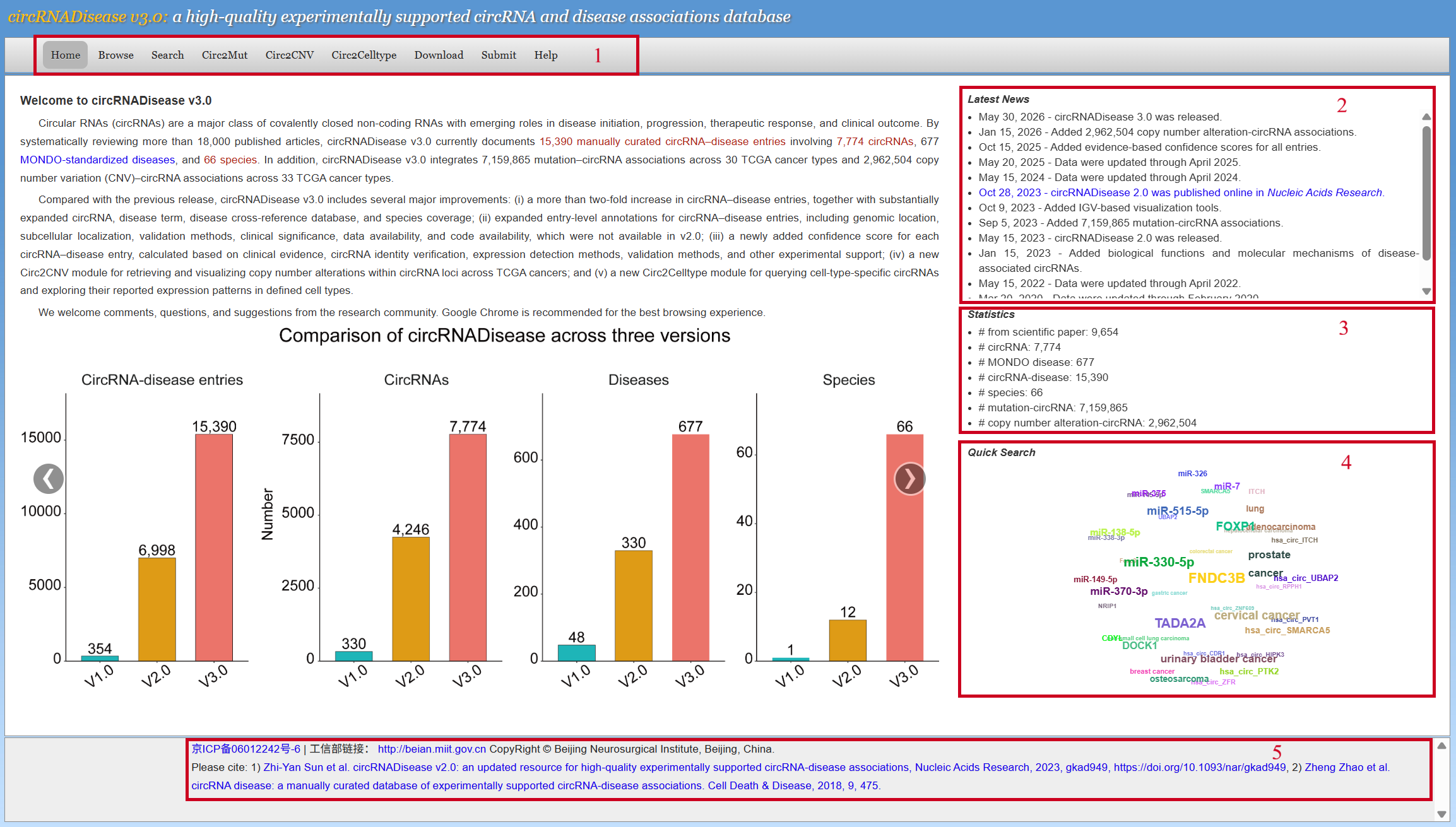
1. Main functional modules of the database. 2. News of the database. 3. Data statistics. 4. Users can perform quick searches by clicking on entries they are interested in. 5. Citation. |
|
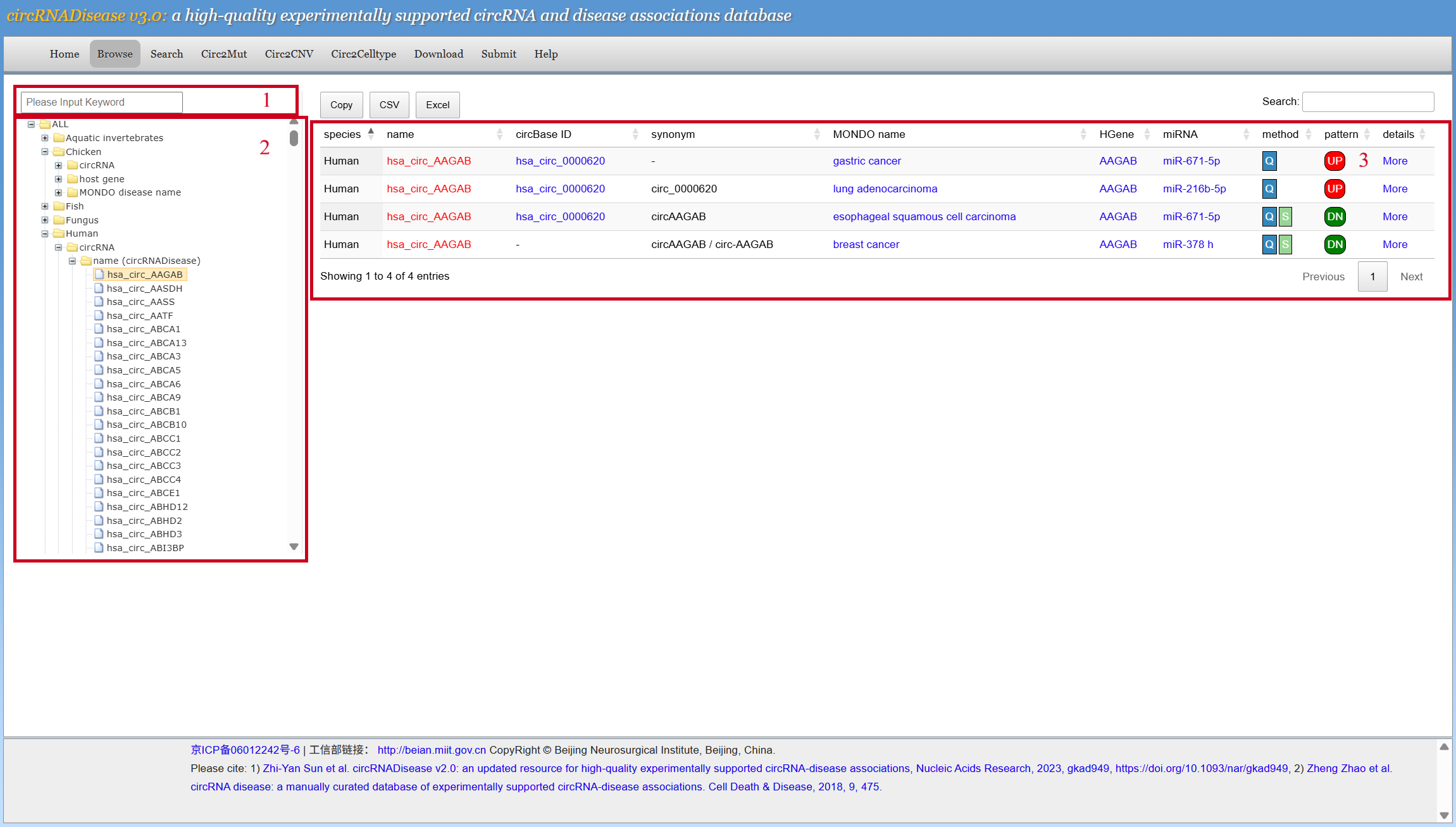
[2] Browse1. Users can search circRNA-disease associations by keywords 2. Users can browse all the entries for different species in three ways: by circRNA, by host gene or by MONDO disease name. 3. The browse results. Users can browse the details by clicking the 'more' button.
|
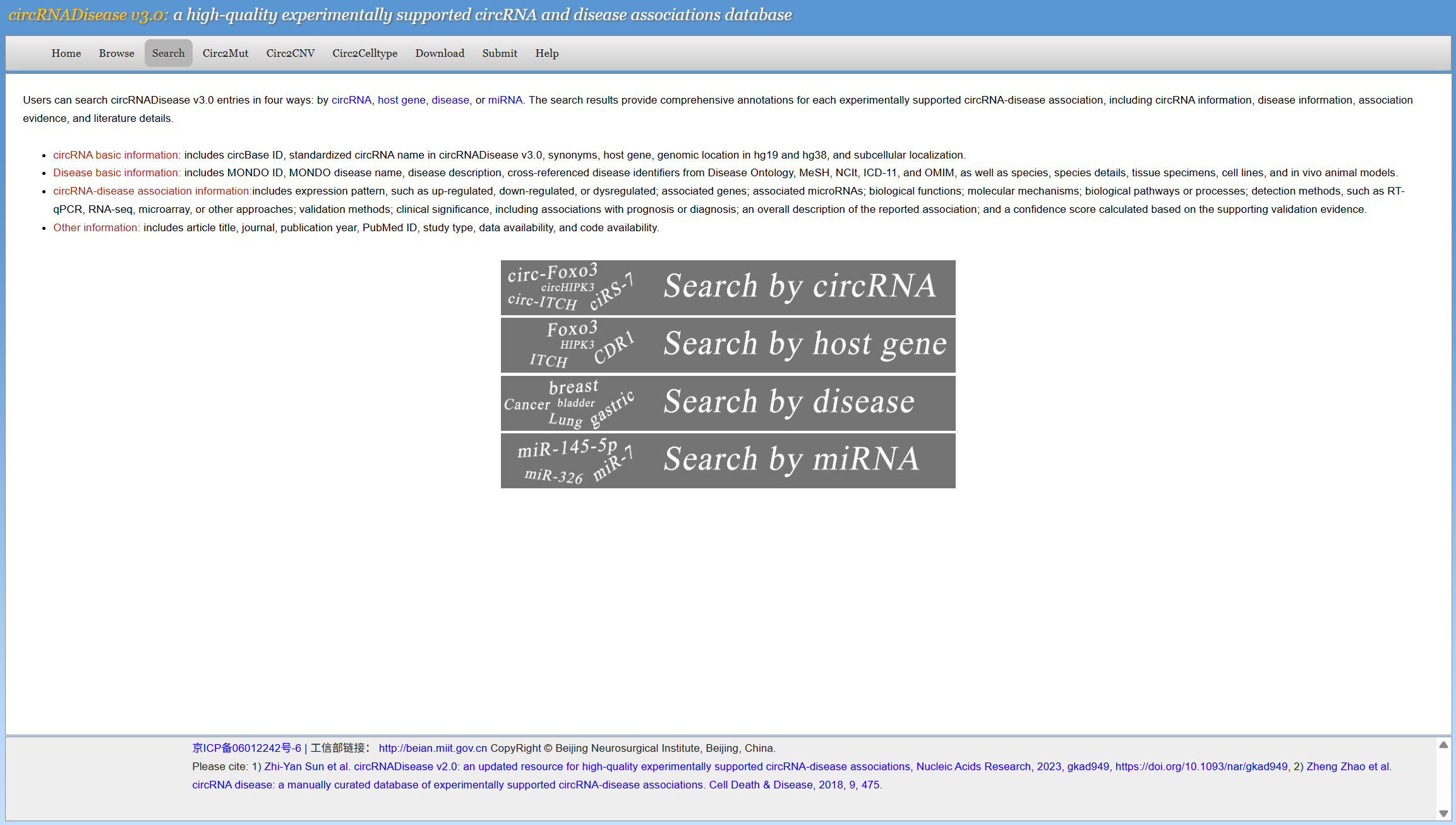
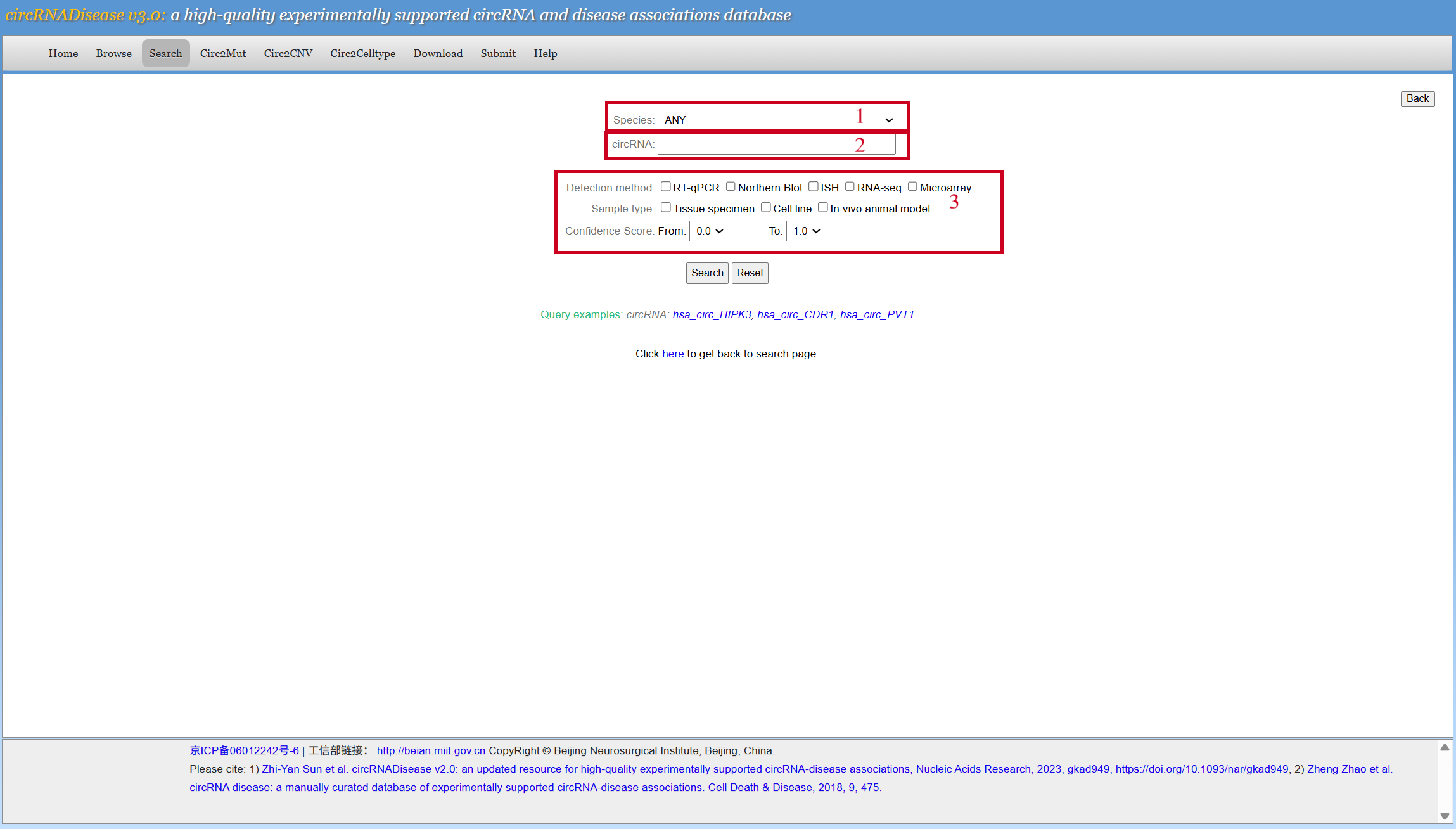
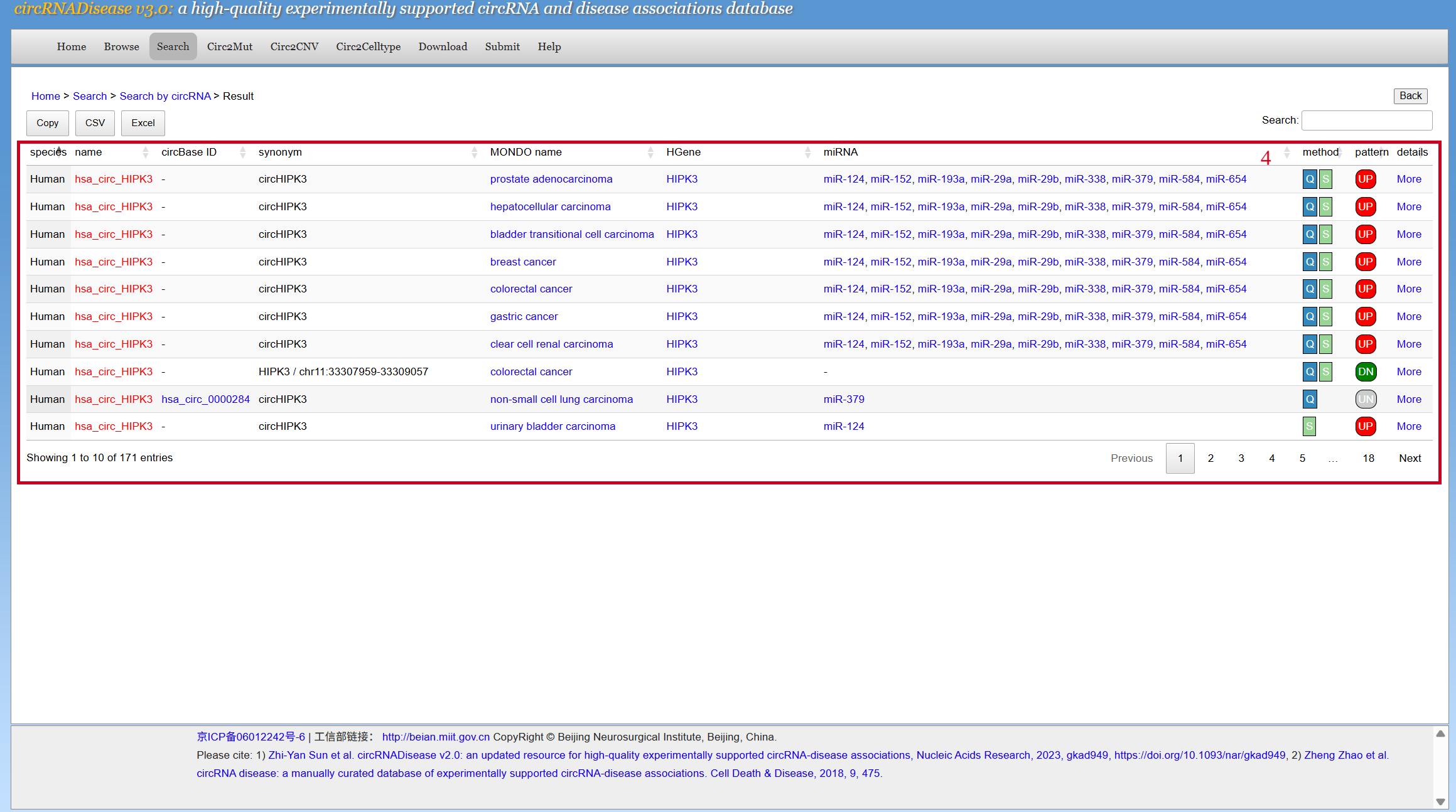
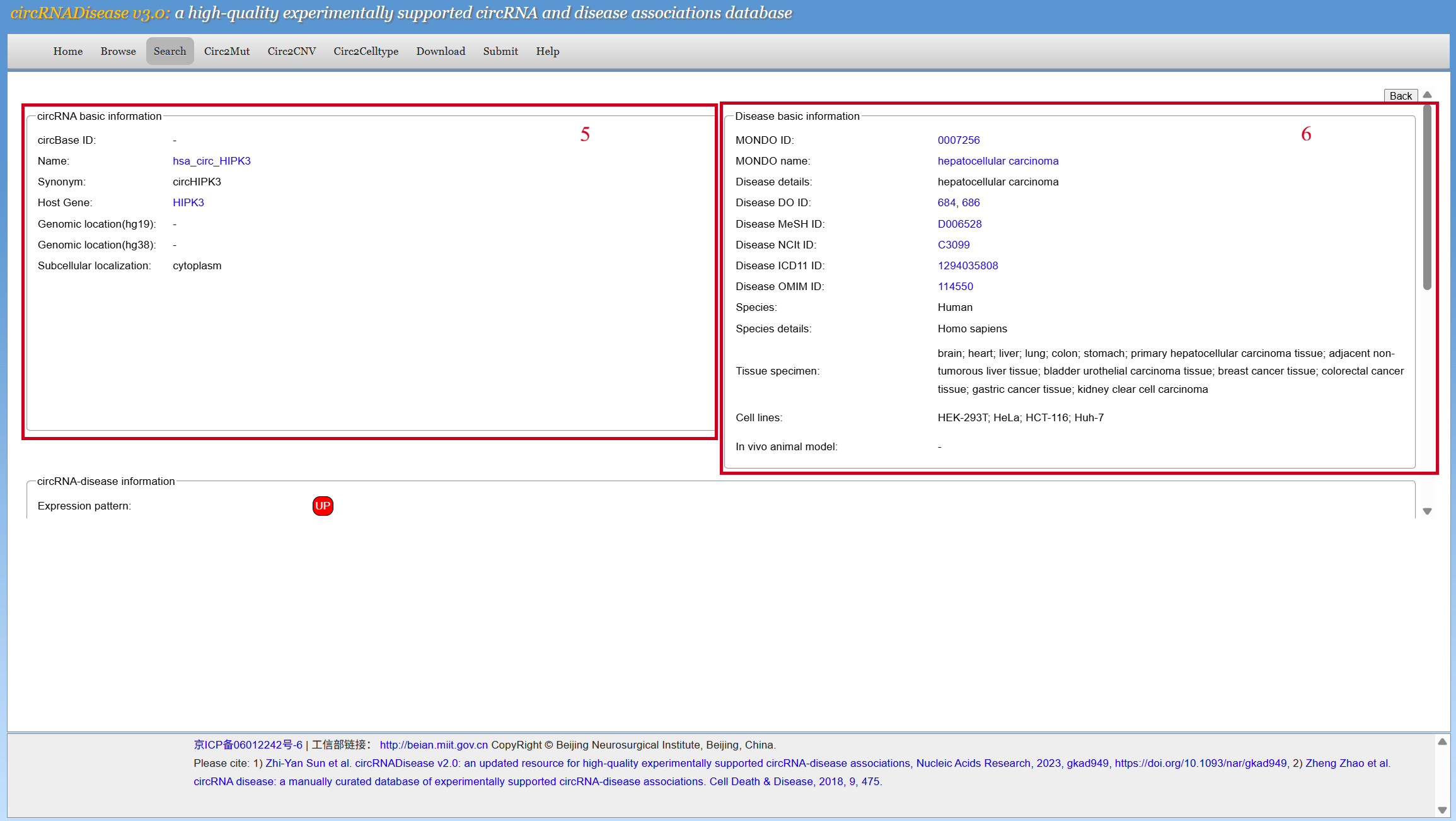
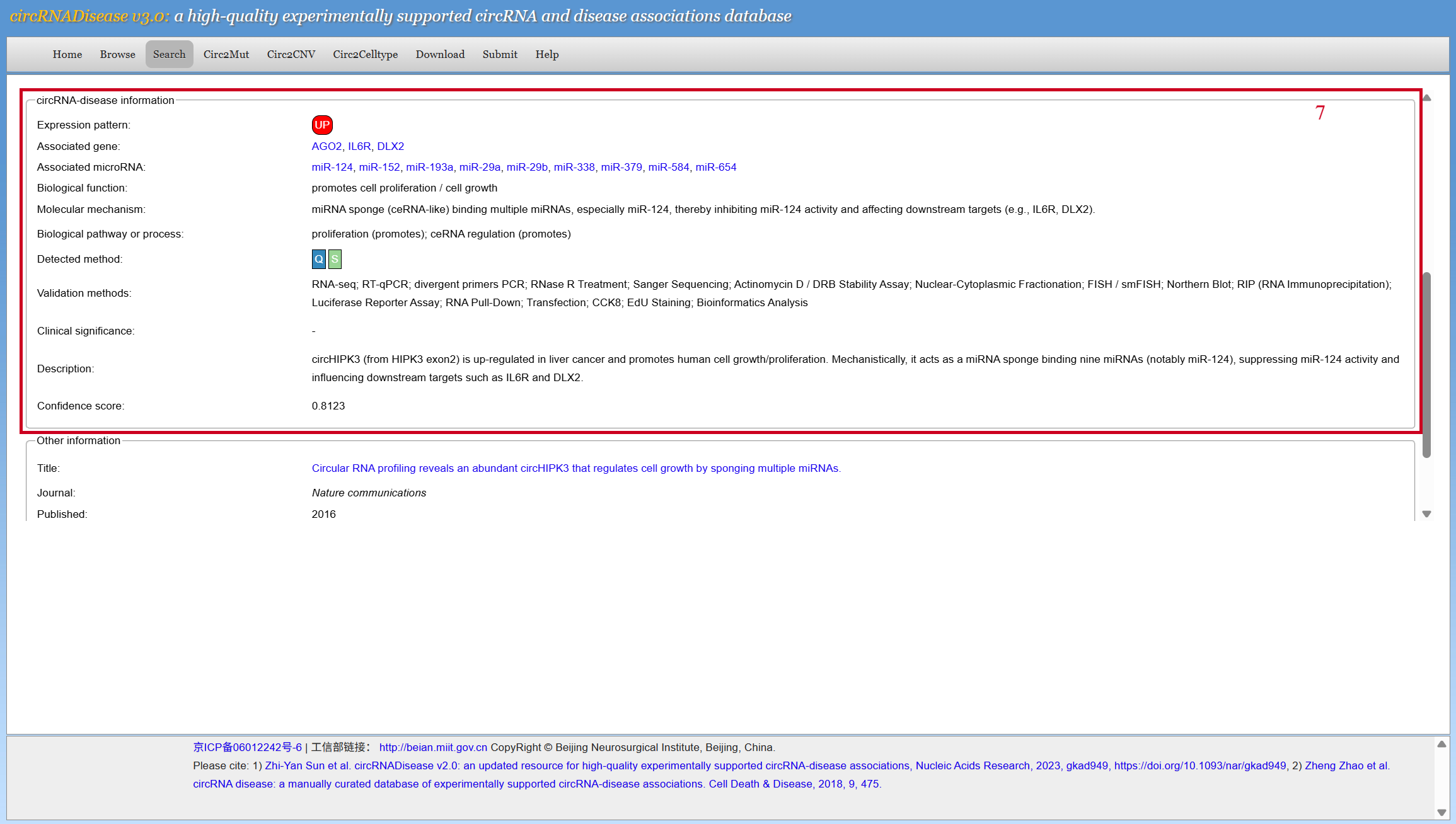
[3] SearchUsers can search circRNADisease v3.0 entries in four ways: by circRNA, host gene, disease, or miRNA. After choosing a search way: 1. Users can choose their interested species. 2. Input circRNA (host gene / disease / miRNA in other searching ways). 3. Users can specify the detection methods, sample types and confidence score ranges of the circRNA-disease associations to narrow down the search scope. 4. The search results. Users can browse the details by clicking the 'more' button. 5. circRNA basic information, showing circBase ID, name, synonym, host gene, genomic location, and subcellular localization of the circRNA. 6. Disease basic information, showing ID of the disease in major disease databases (with jump links), species, and information of the samples used in the article. 7. circRNA-disease information, the confidence score is calculated based on the supporting validation evidence.
|
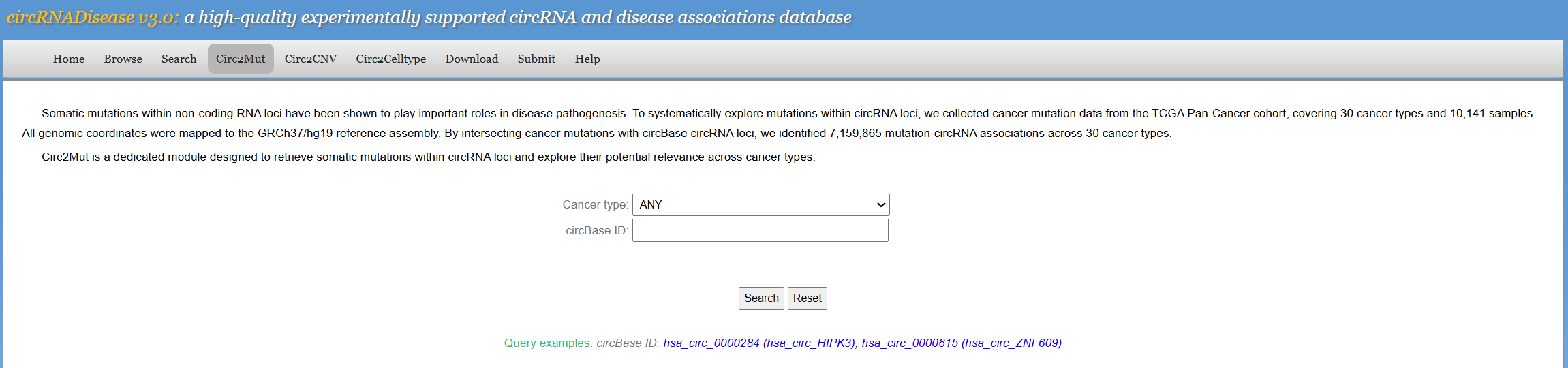
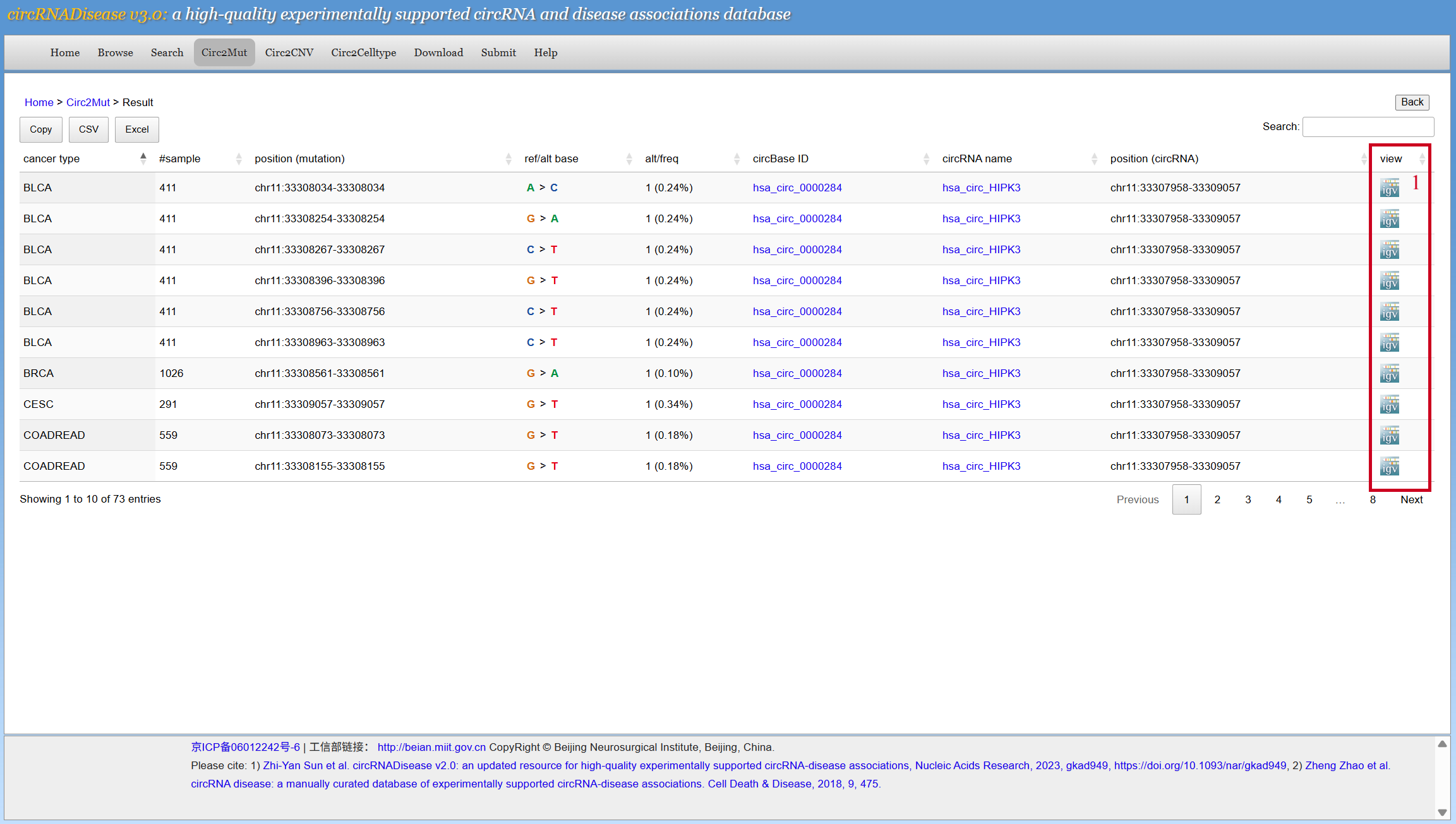
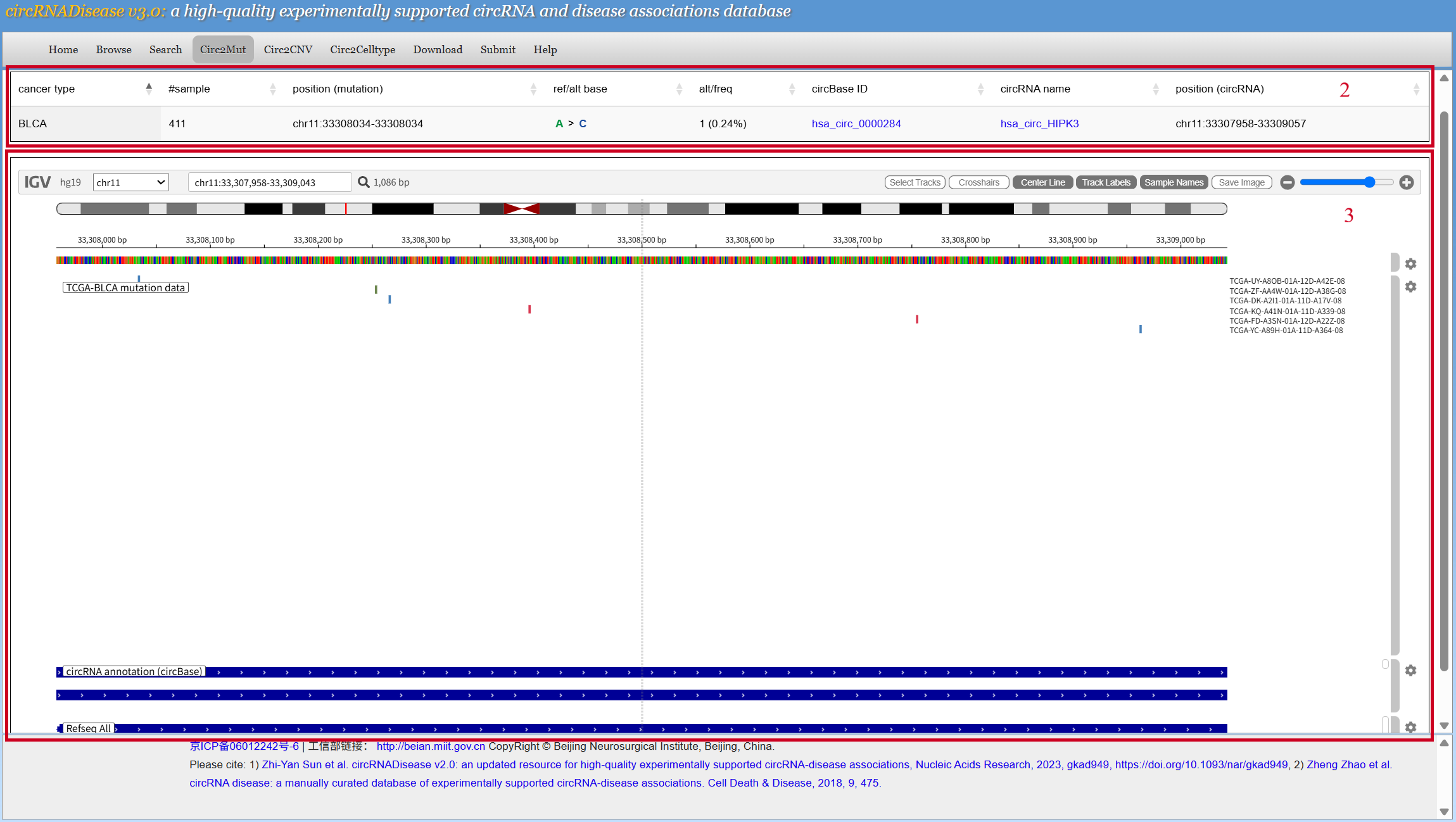
[4] Circ2MutUsers can choose cancer type and input the circBase ID to search the mutation-circRNA associations. 1. Click the IGV button to view visualization details. 2. Information of the mutation and circRNA. 3. Visualization of mutations and circRNA genomic localization is achieved via the IGV browser.
|
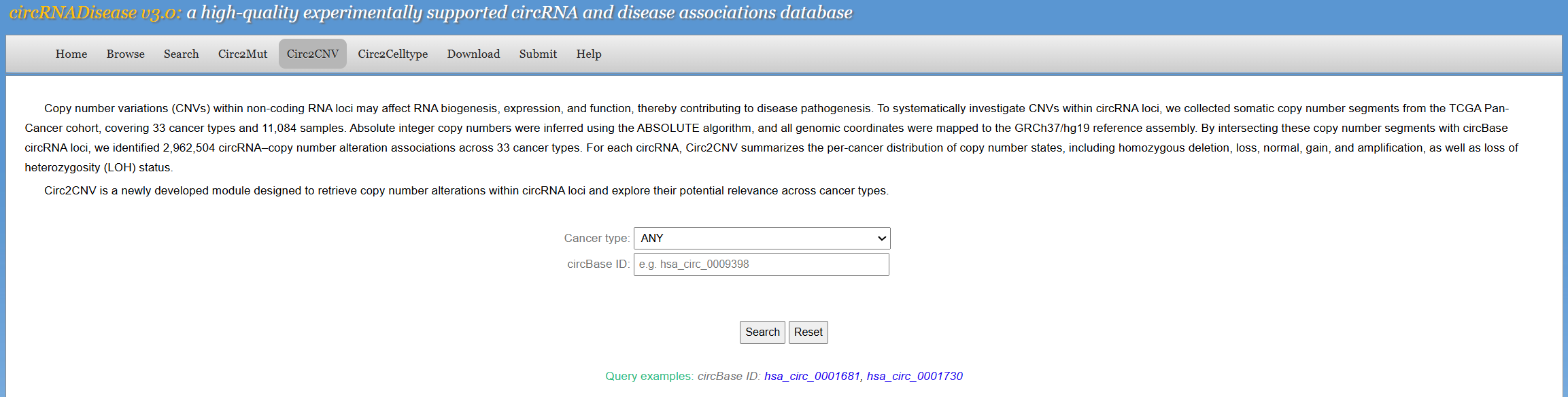
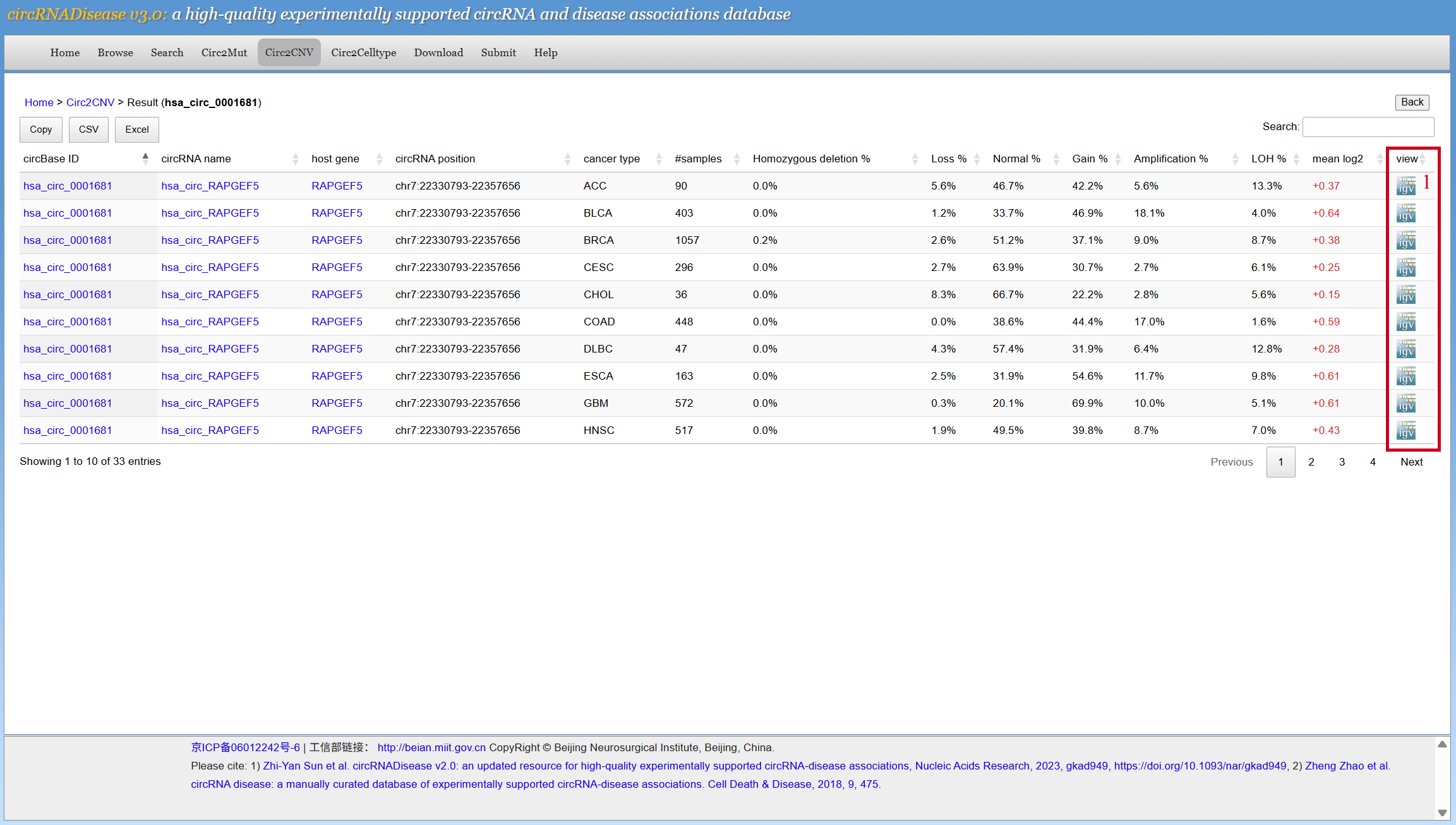
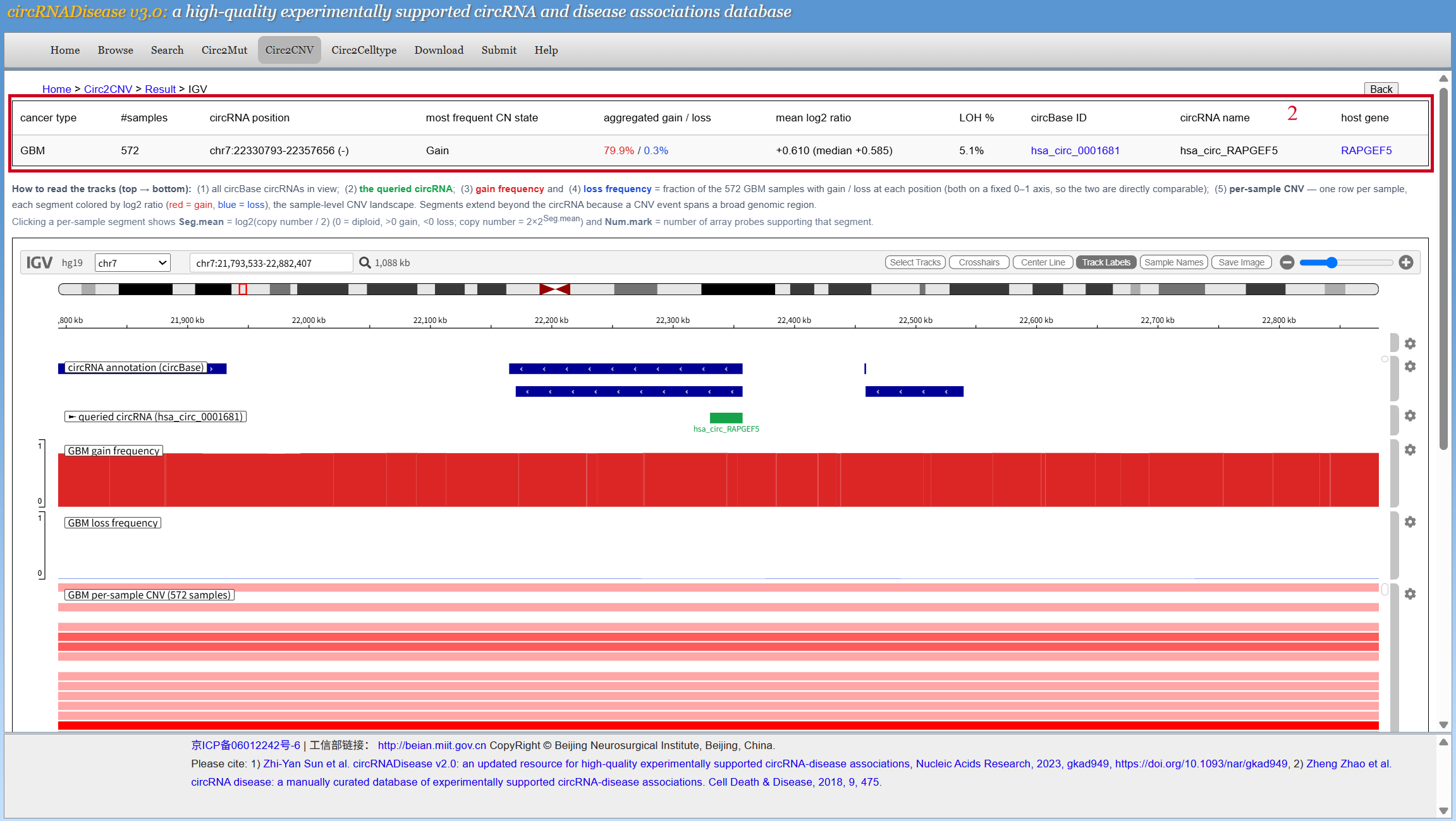
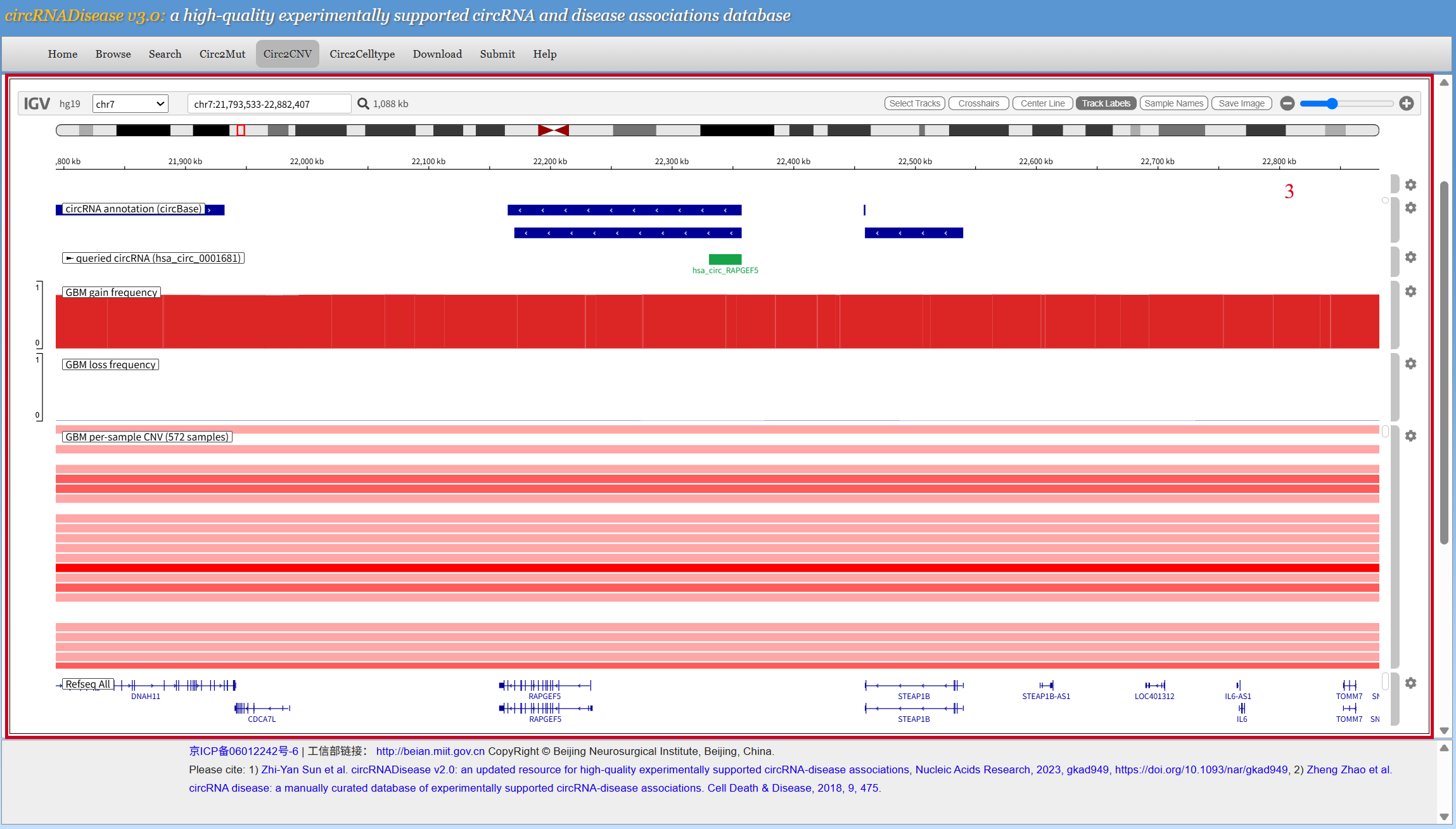
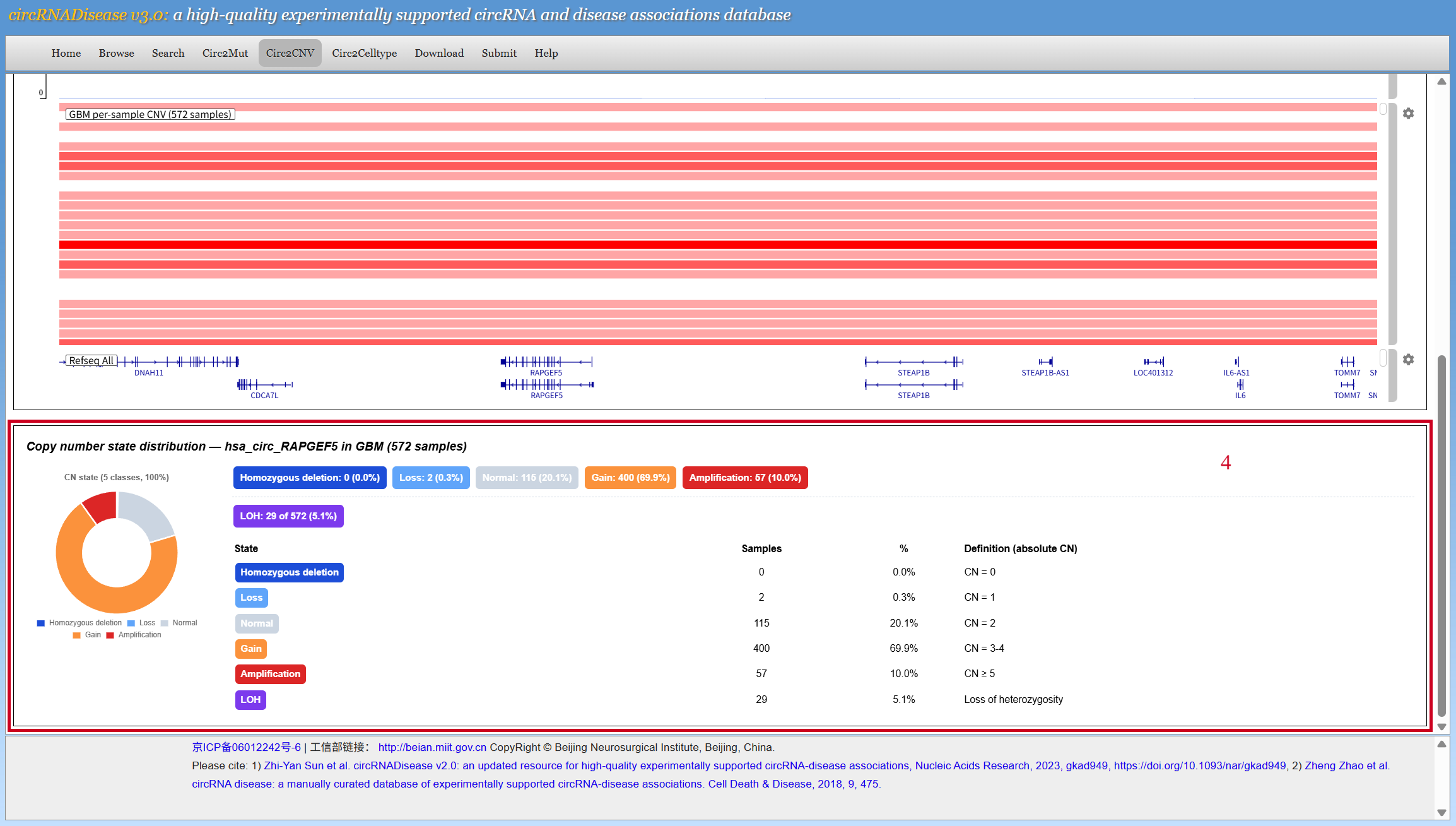
[5] Circ2CNVUsers can choose cancer type and input the circBase ID to search the CNV-circRNA associations. Unlike Circ2Mut, Circ2CNV aggregates results at the circRNA × cancer type level rather than the sample level. However, users can still view sample-level CNVs overlapping the target circRNA in the IGV window. 1. Click the IGV button to view visualization details. 2. Information of the CNVs and circRNA. 3. Visualization of CNVs and circRNA genomic localization is achieved via the IGV browser. Users can drag on the per-sample CNV track to view sample-level CNVs. 4. Statistics panel showing the overall copy number variations and LOH status.
|
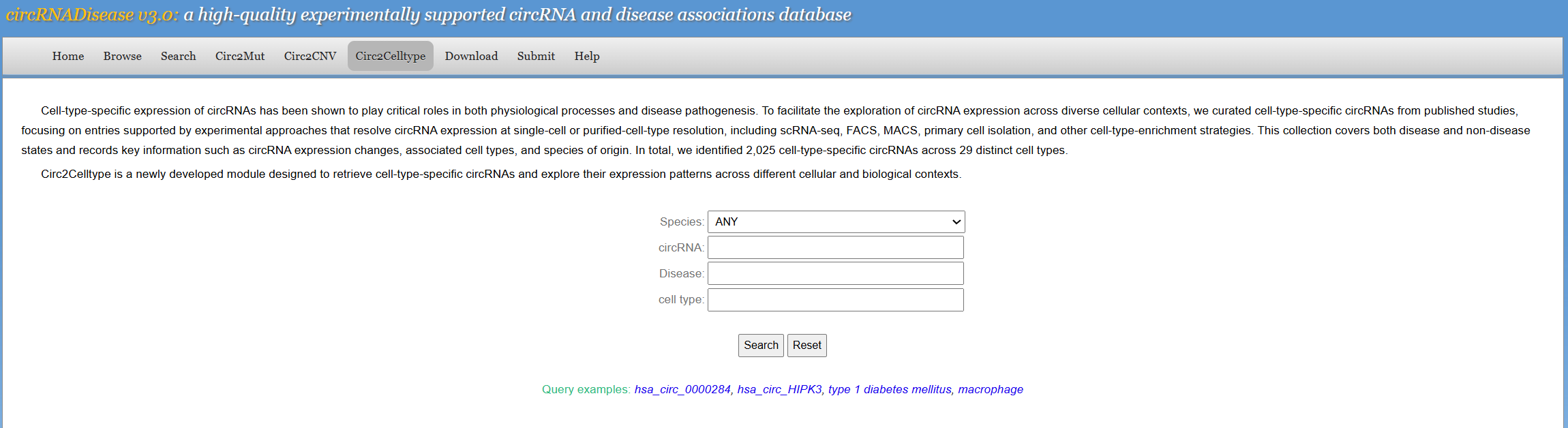
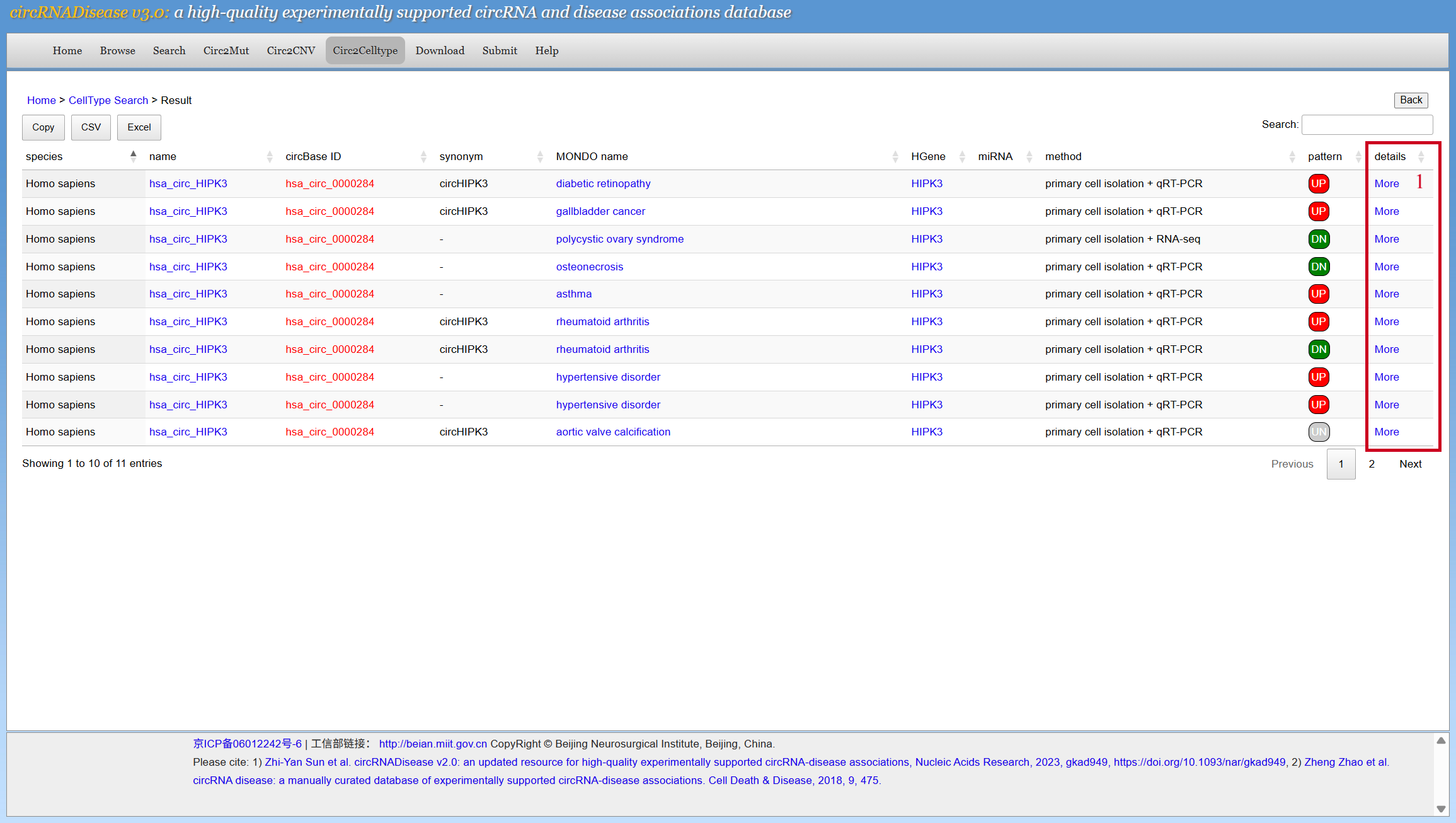
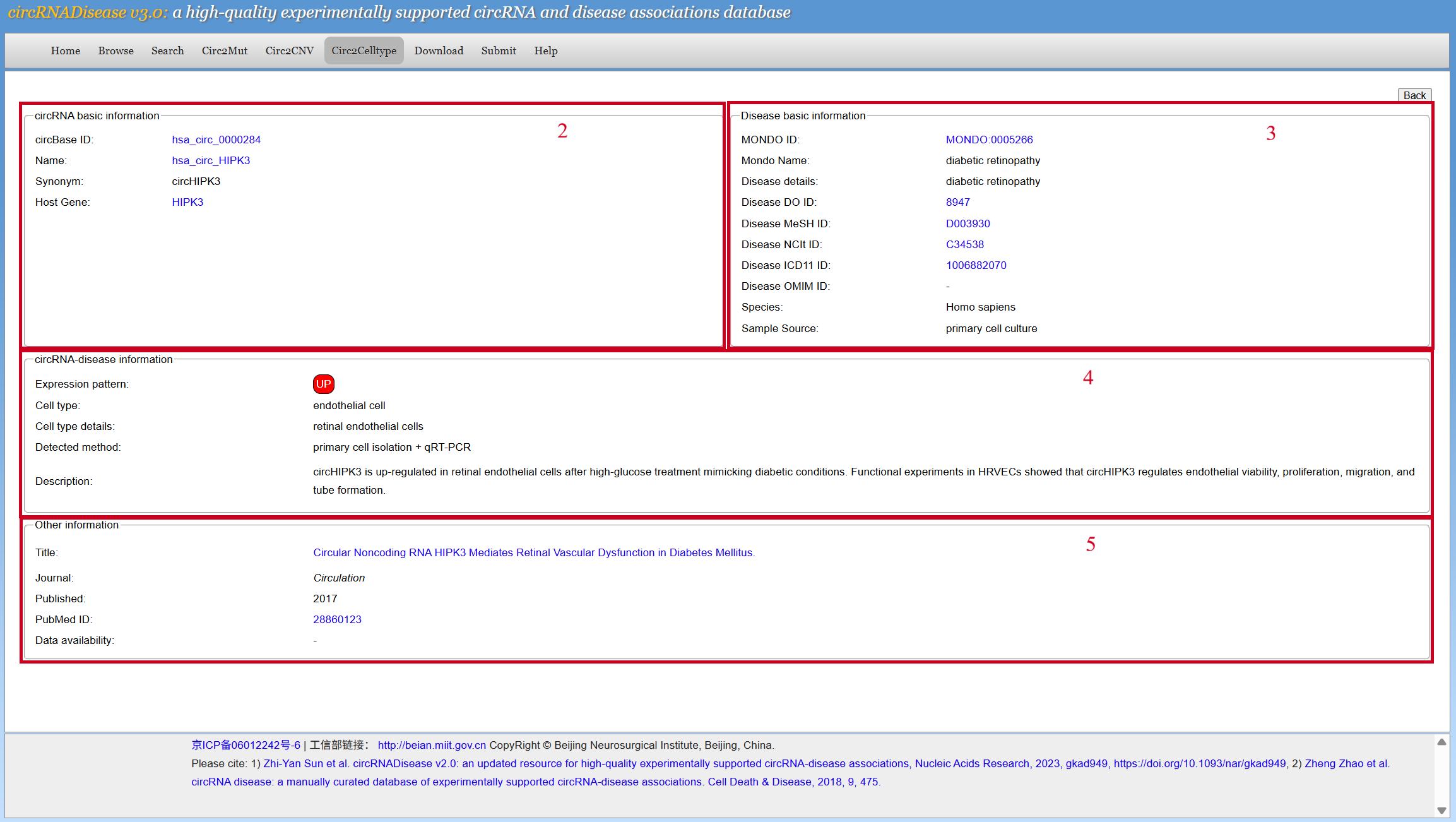
[6] Circ2CelltypeThe menu “Circ2Celltype” is used to collect cell-type-resolved circRNAs, and its usage is similar to that of the menu “Search”. 1. Users can browse the details by clicking the 'more' button in the search results. 2. circRNA basic information, showing the circBase ID, name, synonym and host gene of the circRNA. 3. Disease basic information, showing ID of the disease in major disease databases (with jump links), species, and information of the samples used in the article. 4. Showing the cell-resolved expression of circRNA and its detection methods. 5. Other information, mainly concerning details of the original literature.
|
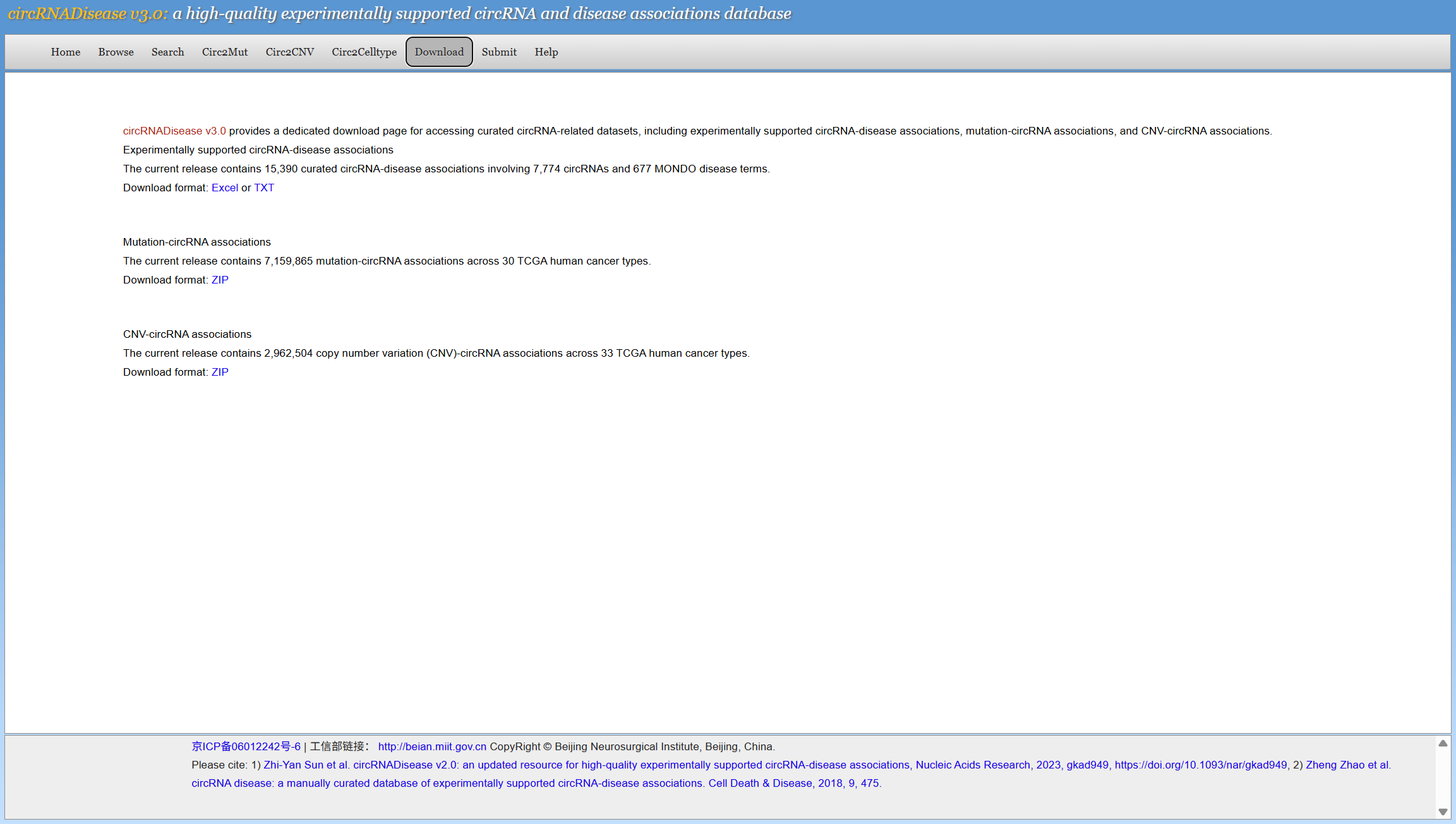
[7] DownloadTo download data in the database, please select the menu "Download". The circRNADisease v3.0 provides two formats of downloadable file in TEXT and Excel formats, respectively. The downloadable files of Circ2Mut and Circ2CNV are compressed tab-delimited files.
|
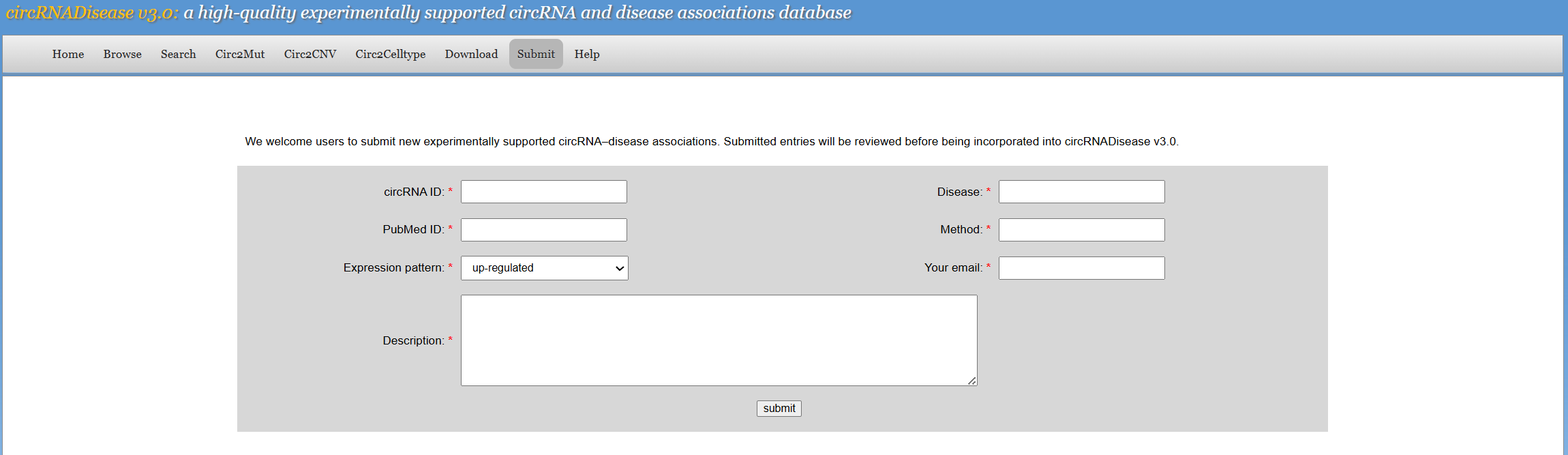
[8] SubmitTo submit data in the database, please select the menu "Submit". We encourage researchers to submit experimentally supported circRNA–disease associations. The users need to input their data into corresponding blanks and then submit the query. The submitted information in the future will be manually reviewed and then integrated into this database.
|
[9] Contact usIf you have any questions, suggestions and comments, please feel free to contact Dr. Zheng Zhao at zhaozheng0503@ccmu.edu.cn. |